
1. Quick Clean-Up
Remove unnecessary symbols by tapping the pen icon in the top-right.
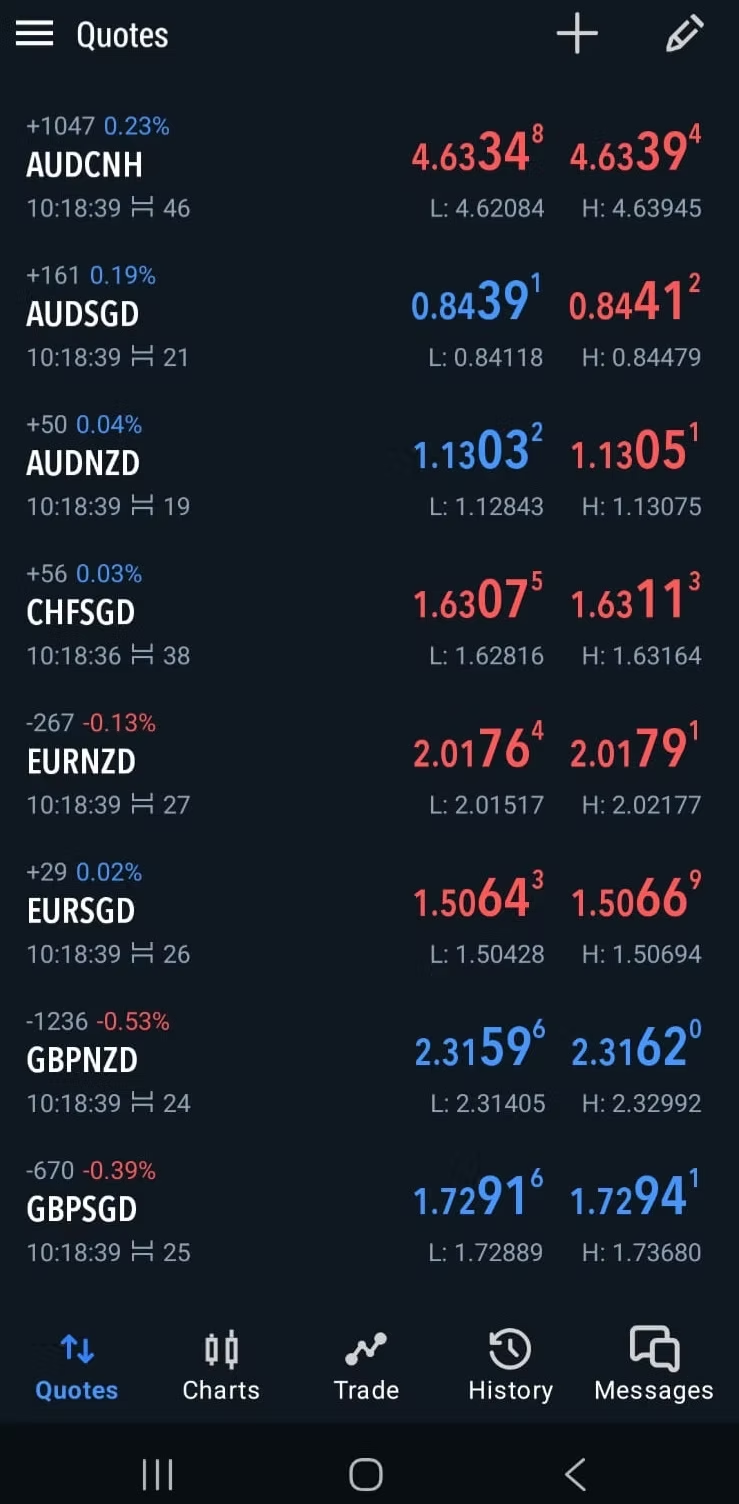
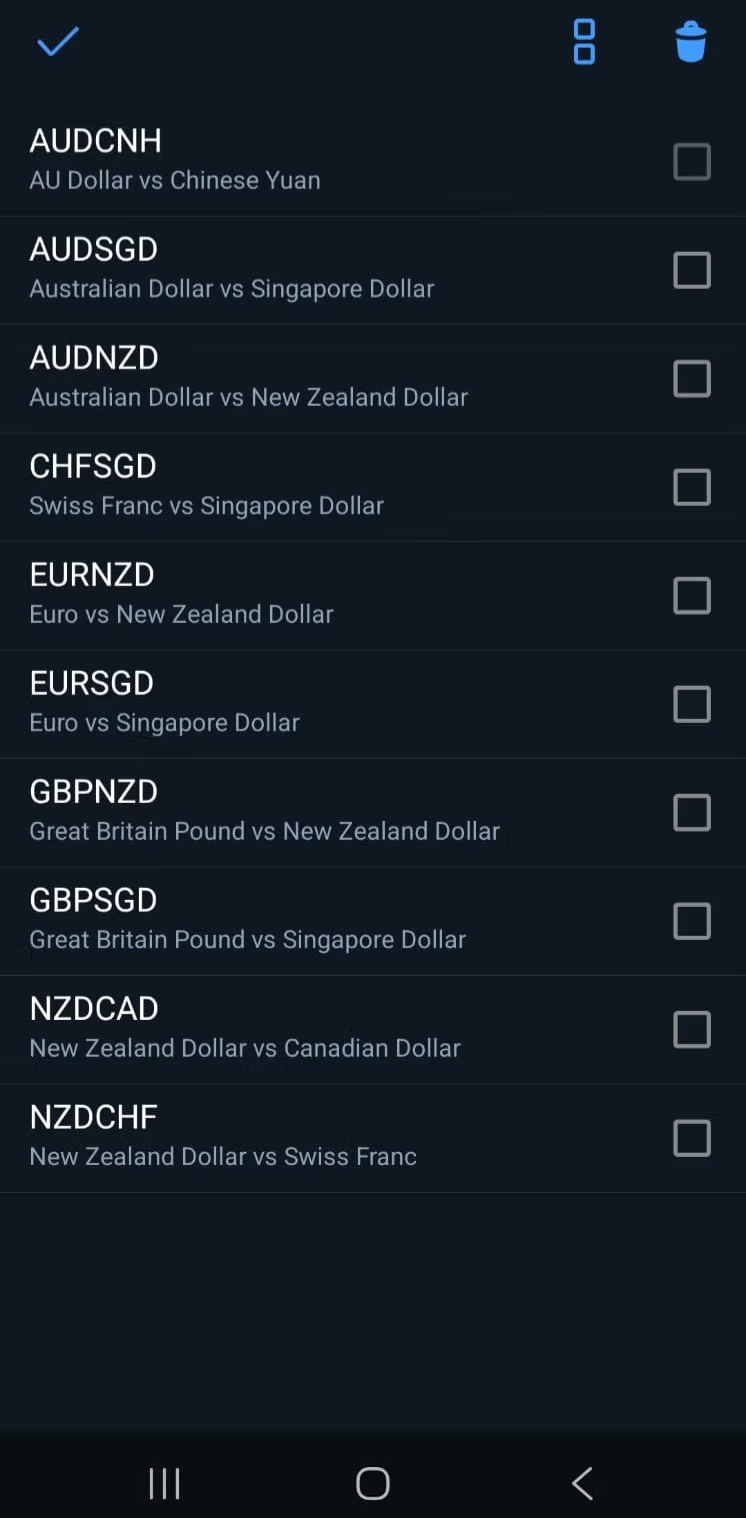
Click the trash icon and select symbols to remove them.
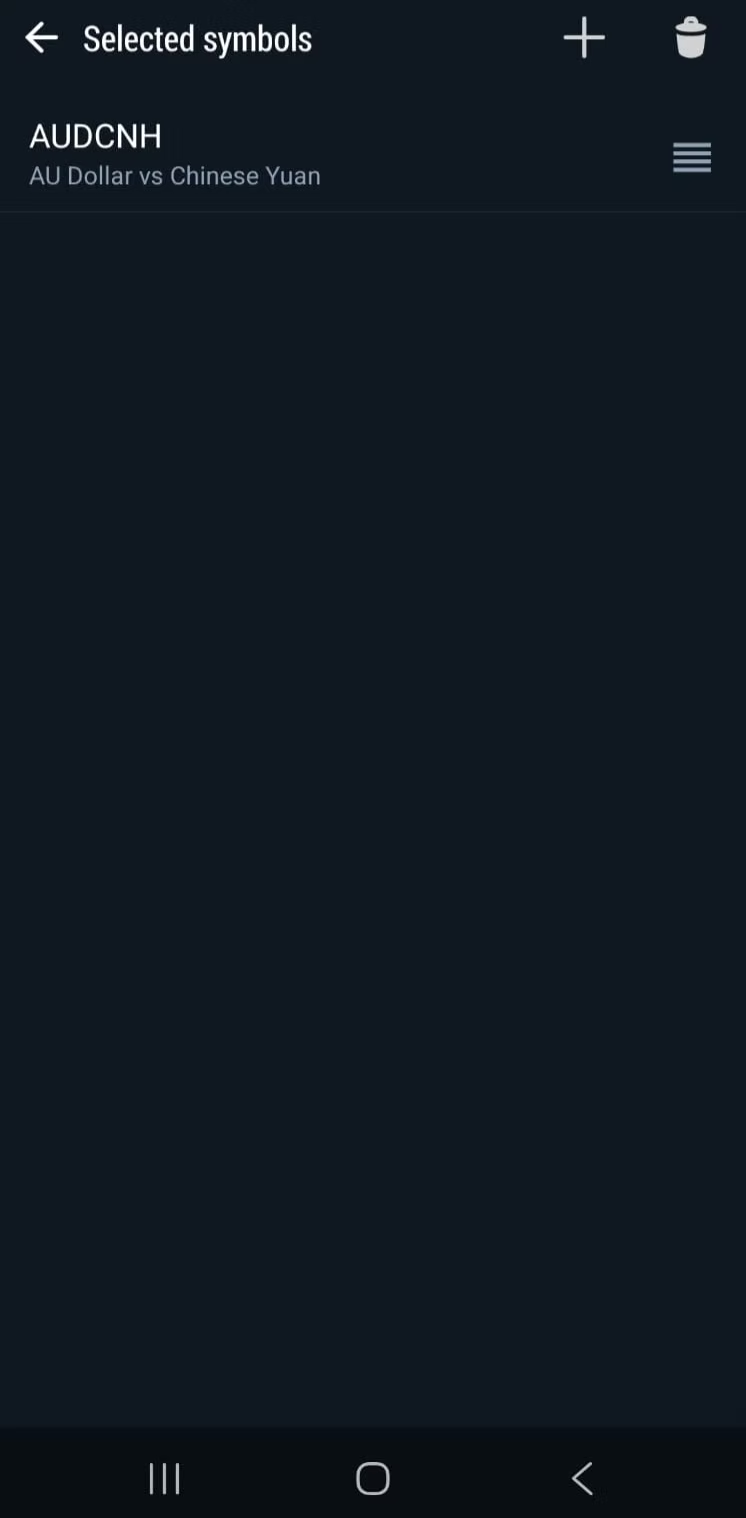
2. Add Gold (XAUUSD)
Tap the + icon and search for XAUUSD.
3. Trading & Execution
Enable One-Tap Trading for instant execution on the chart.
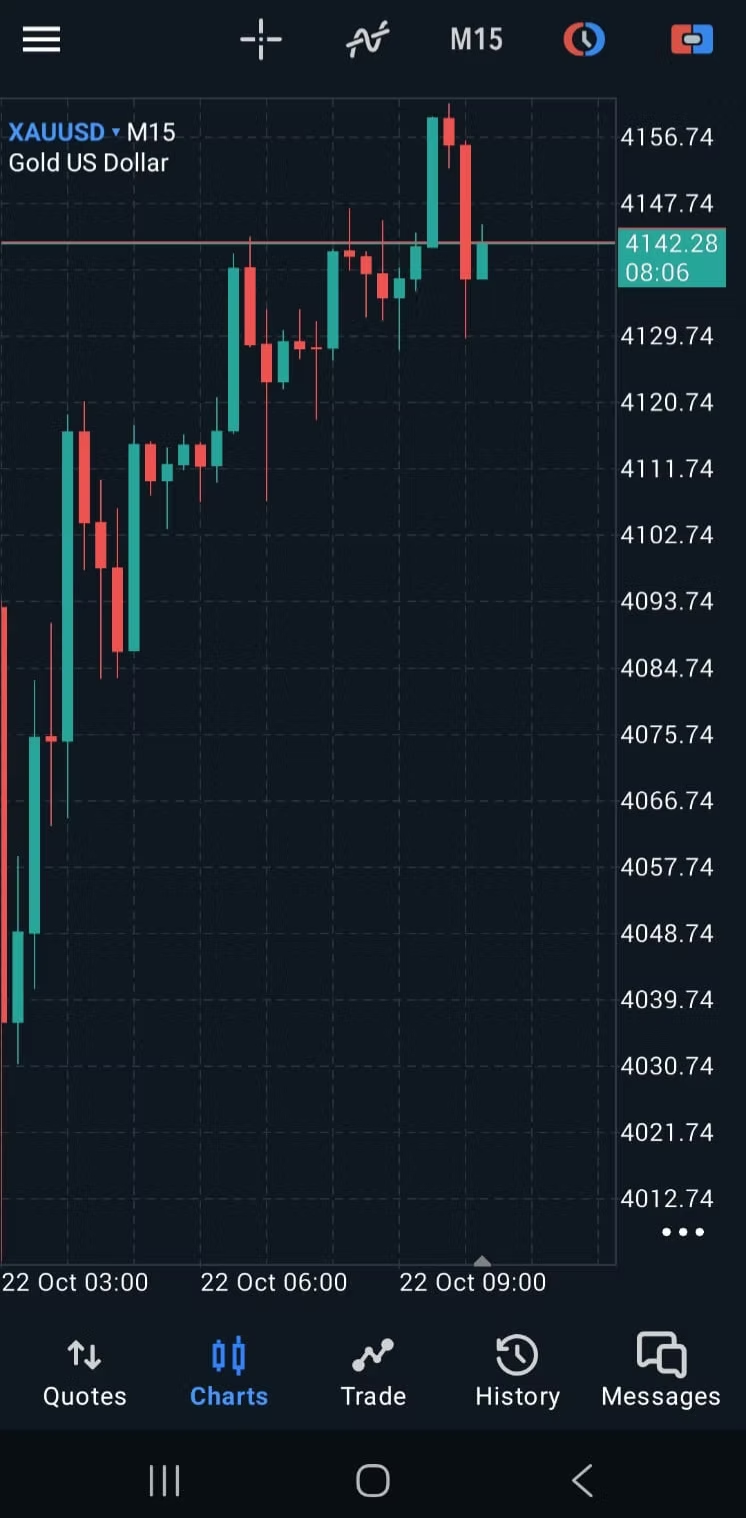
- SELL: Profit if the price falls.
- BUY: Profit if the price rises.
- Lot Size: Start with 0.01.
Understanding Signals
Signals show your entry zone, Stop Loss (SL), and Take Profits (TP).
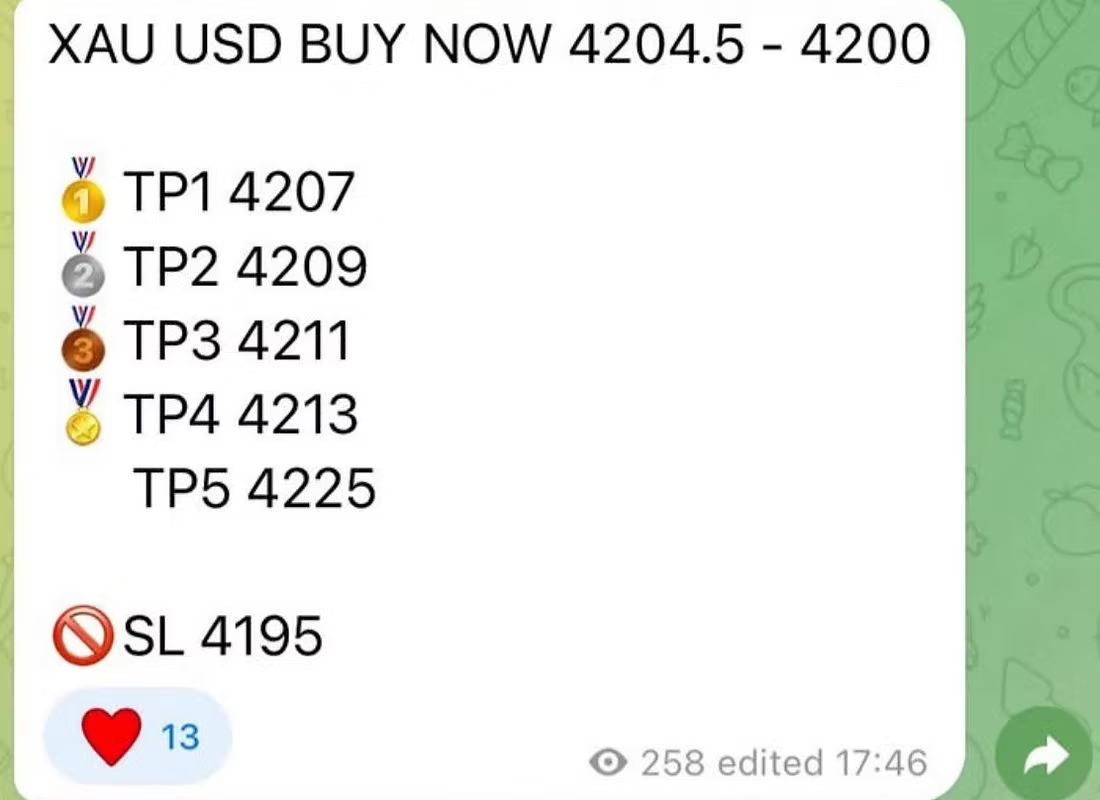
Modify your active trade to set the correct limits.
Full Legal Disclaimer:
Zenith GT operates solely as an independent affiliate under Vantage and in partnership with BlakeyTrades.com. All trading signals, strategies, and related market information are created and distributed by BlakeyTrades.com. Zenith GT does not provide financial advice or investment services and accepts no responsibility for trading outcomes or losses. Trading leveraged products carries a high level of risk.
Zenith GT operates solely as an independent affiliate under Vantage and in partnership with BlakeyTrades.com. All trading signals, strategies, and related market information are created and distributed by BlakeyTrades.com. Zenith GT does not provide financial advice or investment services and accepts no responsibility for trading outcomes or losses. Trading leveraged products carries a high level of risk.